

Web
Mobile
Read
Libs

The phone app is in closed testing on Google Play. The desktop client is free to download here.
Download the desktop client
Version 0.1.0 (build dff96f1).
| System | Download | Size |
|---|---|---|
| Windows 10 and 11, 64-bit | abcam-desktop-windows-0.1.0.zip | 64 MB |
| Linux, x86-64 | abcam-desktop-linux-0.1.0.tar.gz | 0.8 MB |
To check a download, compare its SHA-256 with the list below: sha256sum FILE on Linux, Get-FileHash FILE in Windows PowerShell.
ebb695bcd497334c3fe0c57a07e8eeb301a696e3500ed0eb3e1f3fbc18a39c70  abcam-desktop-windows-0.1.0.zip
426e63ec236cc590bbc7e350b862accc059234d7fe222496b850f65ee4e9f56b  abcam-desktop-linux-0.1.0.tar.gz
Install
Windows. Unzip the archive into one folder and run amarbaro-desktop.exe. Keep the DLL files next to the exe. You do not need a Visual C++ runtime. This build shows the phone stream in its own window. A system camera that other Windows programs can select is not in this version.
Linux. Extract the archive and run amarbaro-desktop. The client needs the FFmpeg 9 shared libraries (libavcodec 63) and adb from your distribution. To use the phone as a webcam in OBS, Firefox or Chromium, load the v4l2loopback kernel module with exclusive_caps=1. The client then writes the video into that camera device.
Phone. Install ABCam from Google Play (see "Get the phone app" below) and press Start.
Three ways to connect
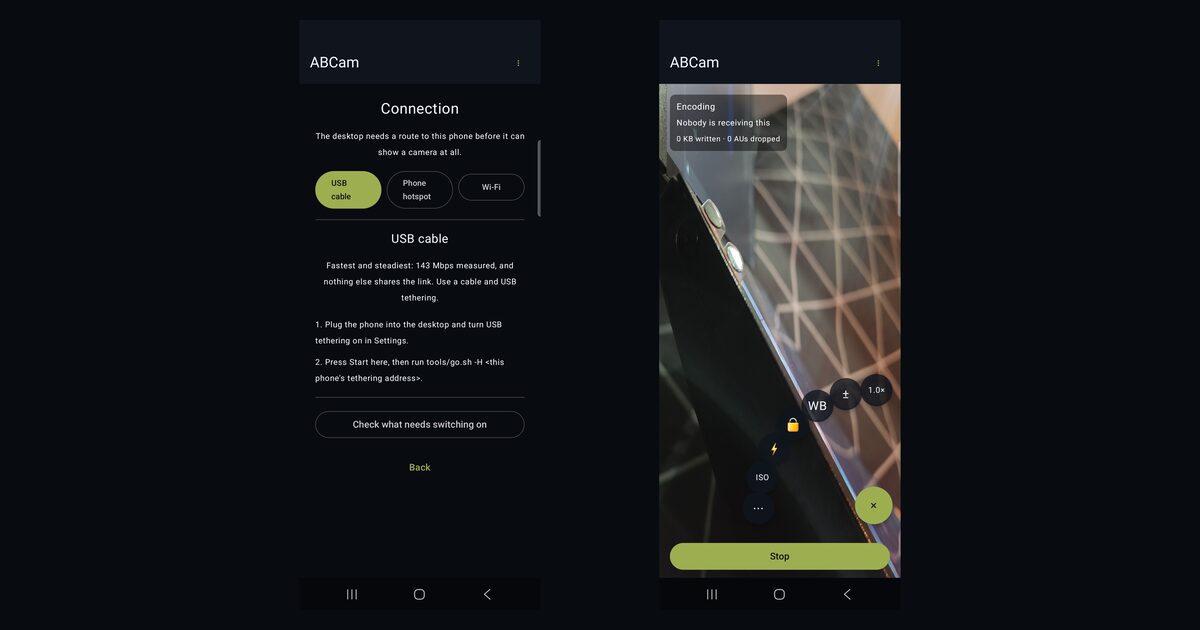
- USB with adb. The fastest setup on a phone with developer options on. The desktop can also start the session itself.
- Wi-Fi or USB tethering. No developer options needed. The client reads the phone at the address its Connection screen shows.
- Push. For guest networks and firewalls: enter the computer's address in the phone app and the phone connects to the desktop. Allow that port in the desktop firewall.
Zoom, exposure, ISO, white balance and lens changes take effect while the stream runs. On a Galaxy Z Flip4 the Linux client received 1280x720 at about 35 frames per second, and the Windows 11 client at about 34.
Get the phone app
ABCam is in closed testing on Google Play. Google lets only members of our tester group into the test:
- Join the AMARBARO tester group.
- Open the ABCam test page and accept.
- Install ABCam from Google Play.
Licences
The desktop client is licensed under Apache-2.0. The Windows archive includes FFmpeg 9.0 libraries in their LGPL build (BtbN FFmpeg builds, source at ffmpeg.org). They are linked dynamically: you can replace the DLLs with your own build of the same version. The Linux build uses your system's FFmpeg. Privacy: ABCam privacy policy.